
Push notifications for your community.
Free, self-hosted, and yours.
FluentNotify delivers replies, mentions and new posts to your members' desktops and phones through Firebase Cloud Messaging. The subscriber list lives in your database, the credentials in your Firebase project, and nothing in between.
Works with
 FirebaseCloud Messaging, your project
  FluentCommunityNative since 2.9
  FluentCRMPlanned
  FluentBookingPlanned
 From a Firebase key to a member's lock screen.
Three moving parts. You set up the first one once, members handle the second, and the plugin takes care of the third for as long as the site runs.
-
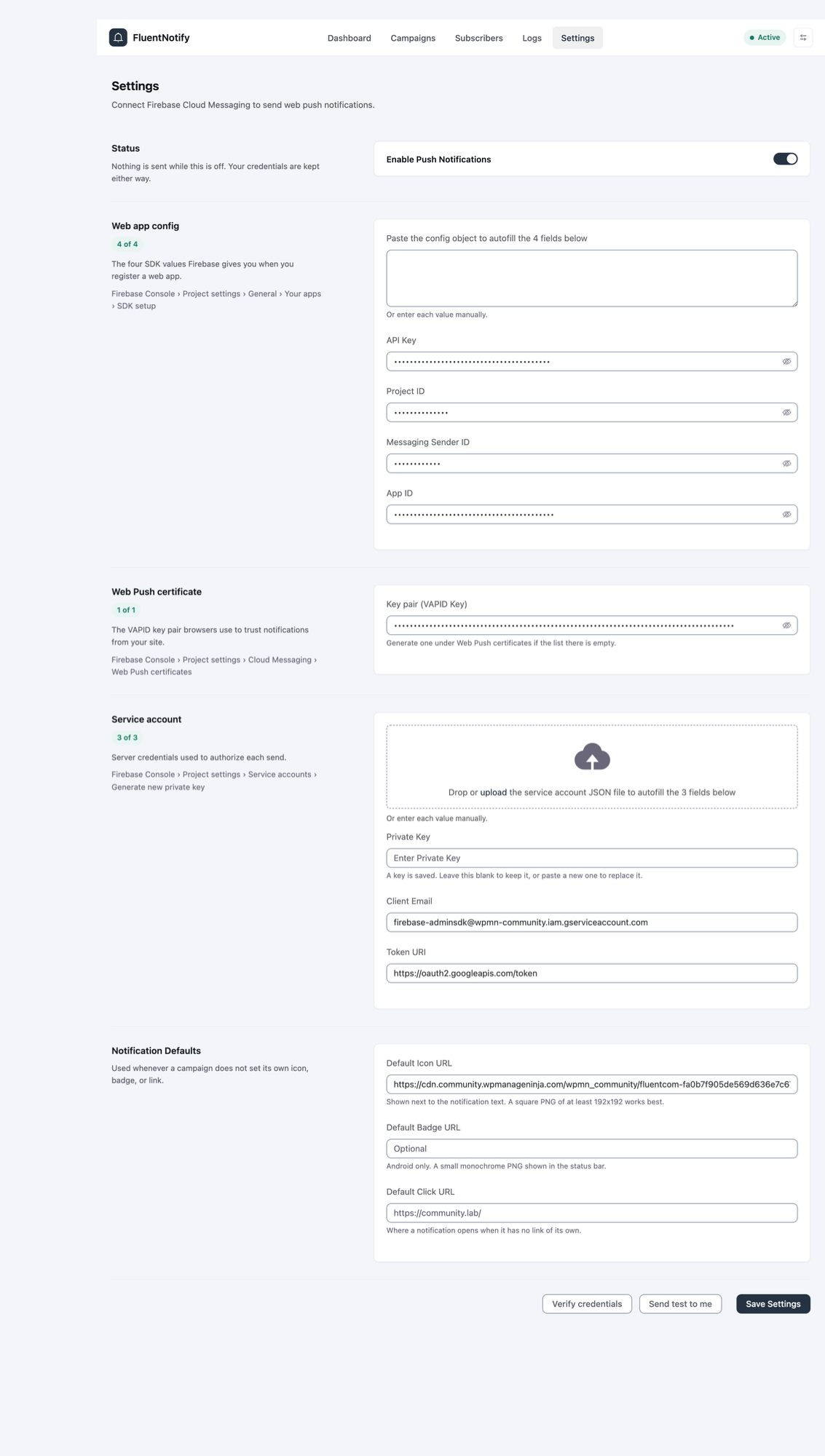 01Connect your Firebase project
Paste the web app config, the VAPID key and the service account file. Each section shows when it is complete, and a test notification confirms the whole chain before members ever see it.
-
 02
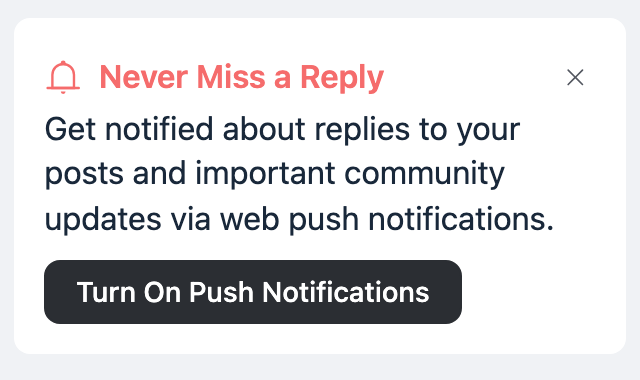
02Members turn notifications on
A short prompt on their feed asks once. Their browser handles the permission, FluentNotify records the device, and they can dismiss the prompt for a week if they are not ready.
- community.wpmanageninja.com2m Jonas mentioned you in Design Critique @amelia would love your take on the new onboarding flow before Friday.03
Activity arrives on their device
Comments, replies, mentions and new posts go out through Firebase within seconds and land as native notifications on desktop and phone, even with the community tab closed.
Built for FluentCommunity It knows who replied to whom.
FluentCommunity 2.9 added push notifications, and FluentNotify is the plugin that sends them. Install it from Portal Settings, connect Firebase, and the community's own activity becomes the trigger.
Members choose email, push or both for each kind of activity from their notification preferences, and can dismiss the prompt for a week. You set the defaults for everyone who has not chosen yet.
Requires FluentCommunity Pro 2.9 or later and FluentNotify on the same site.
Members get a notification when
- Someone comments on a post they wrote
- Someone replies to their comment
- Someone mentions them in a post or comment
- A new comment lands on a post they took part in
- A new post goes up in a space they follow
One menu. Everything you need to see.
Dashboard, Subscribers, Logs and Settings, in the same design language as the rest of the Fluent plugins. Dark mode follows the theme you already picked.
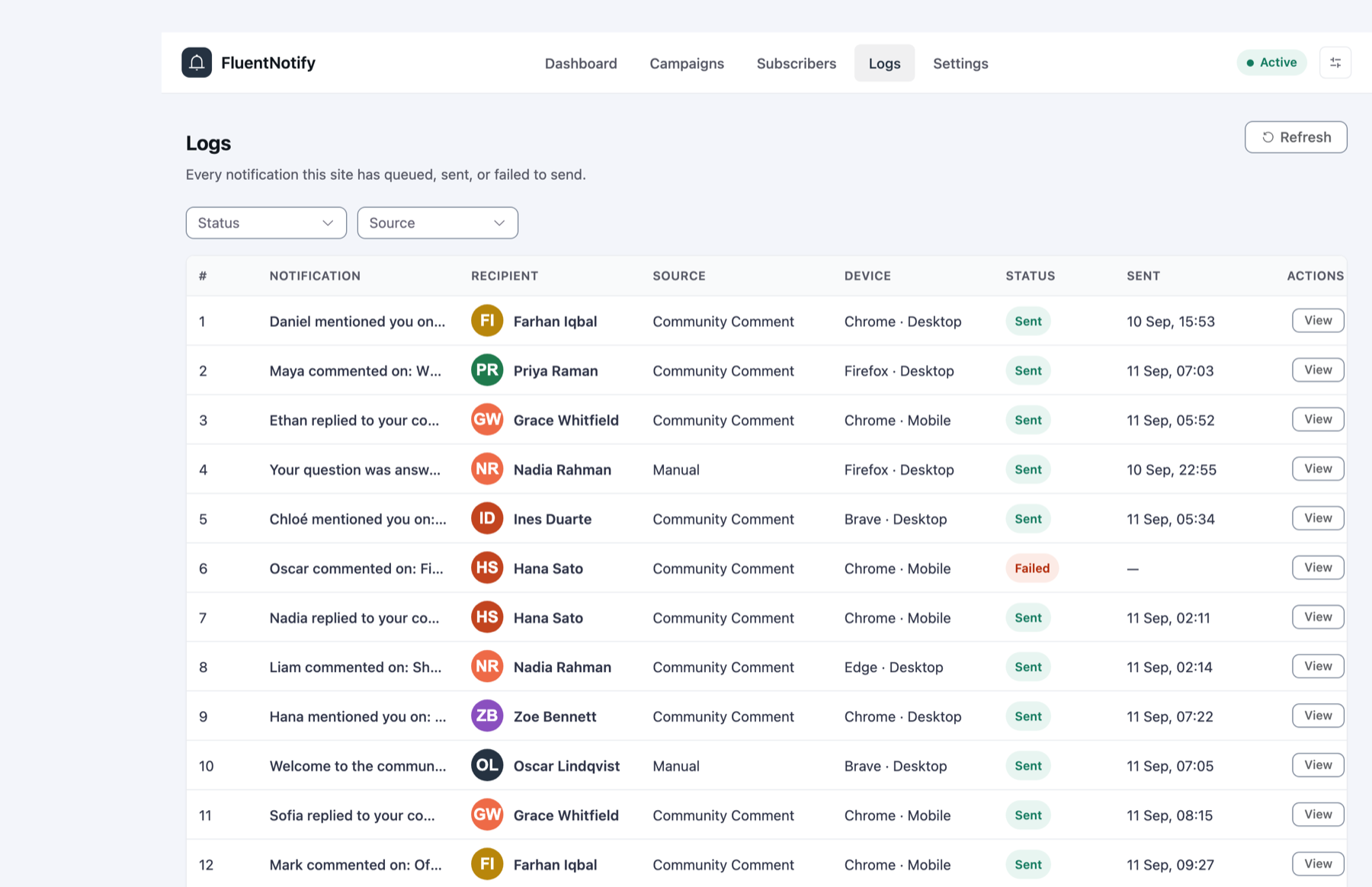
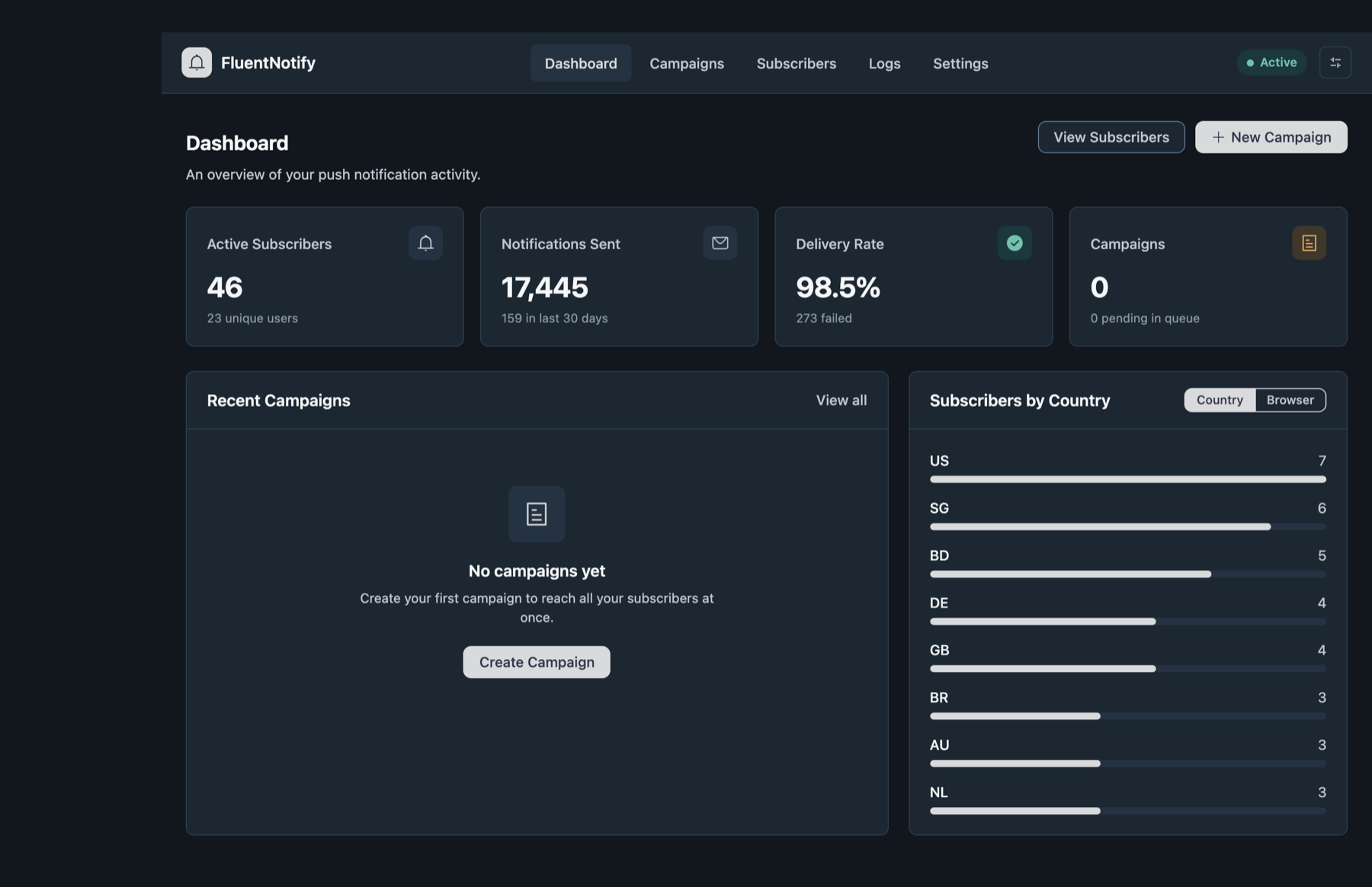
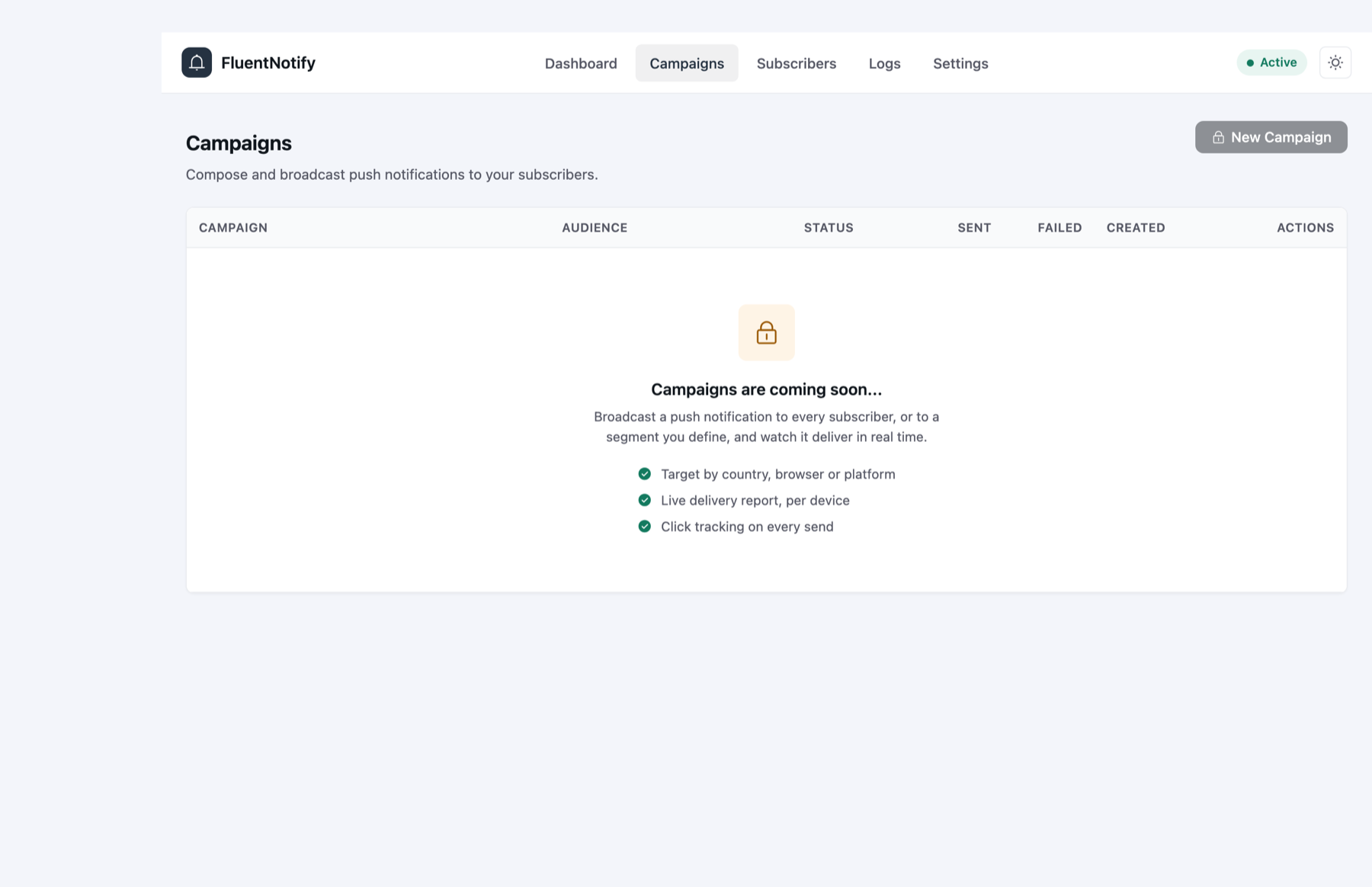
Everything the plugin does, and all of it is free.
Firebase delivery
Sends through Firebase Cloud Messaging using your own project. No middleman, no per-message cost, no account with us.
FluentCommunity triggers
Replies, comments, mentions and new posts become notifications, honoring each member's own preferences.
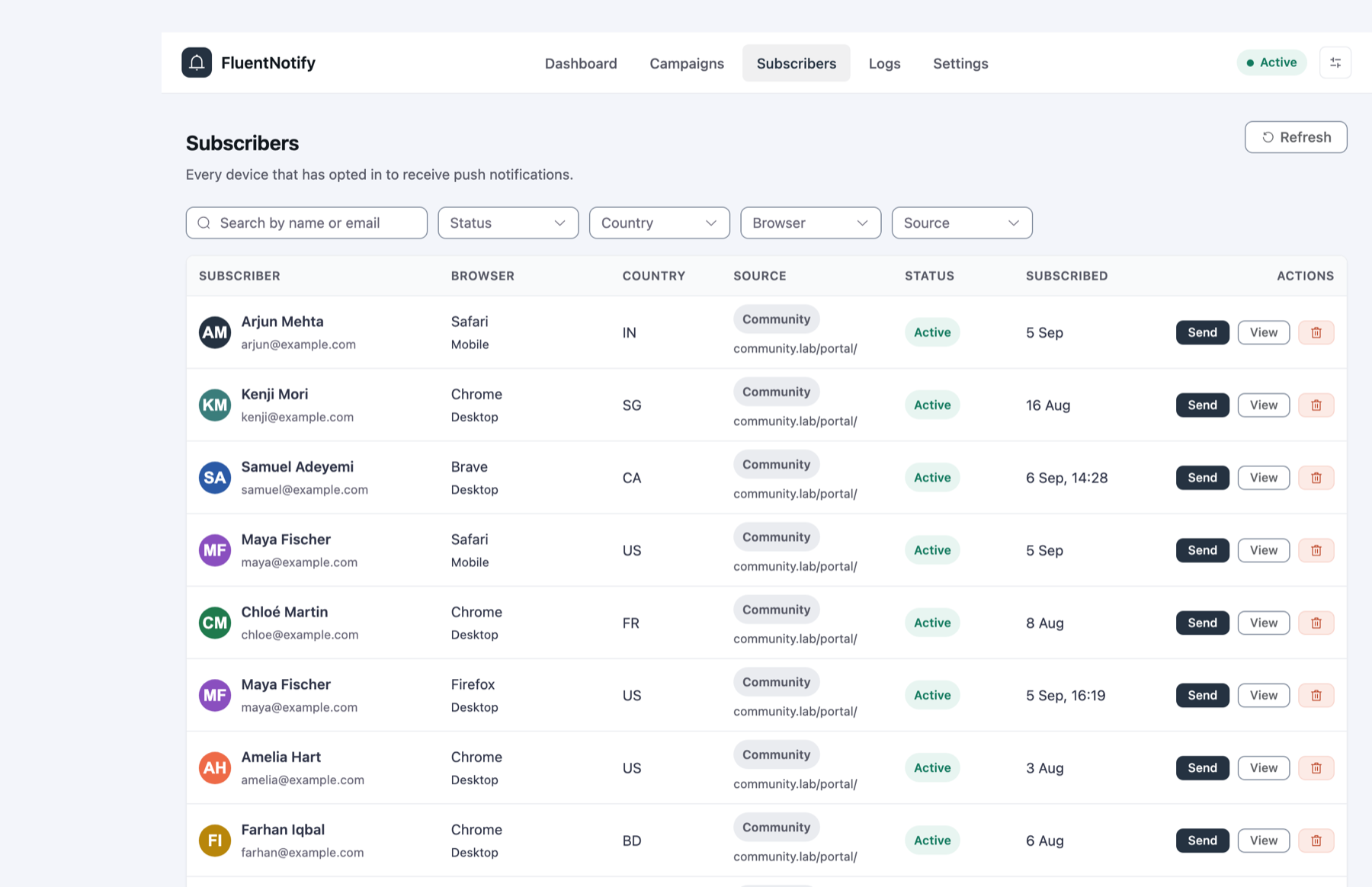
Subscriber list
Every opted-in device with its browser, platform, country, source page and status. Search and filter it, pause or remove any entry.
Send to one device
Reach a single member from their subscriber record, and see the delivery history for that device.
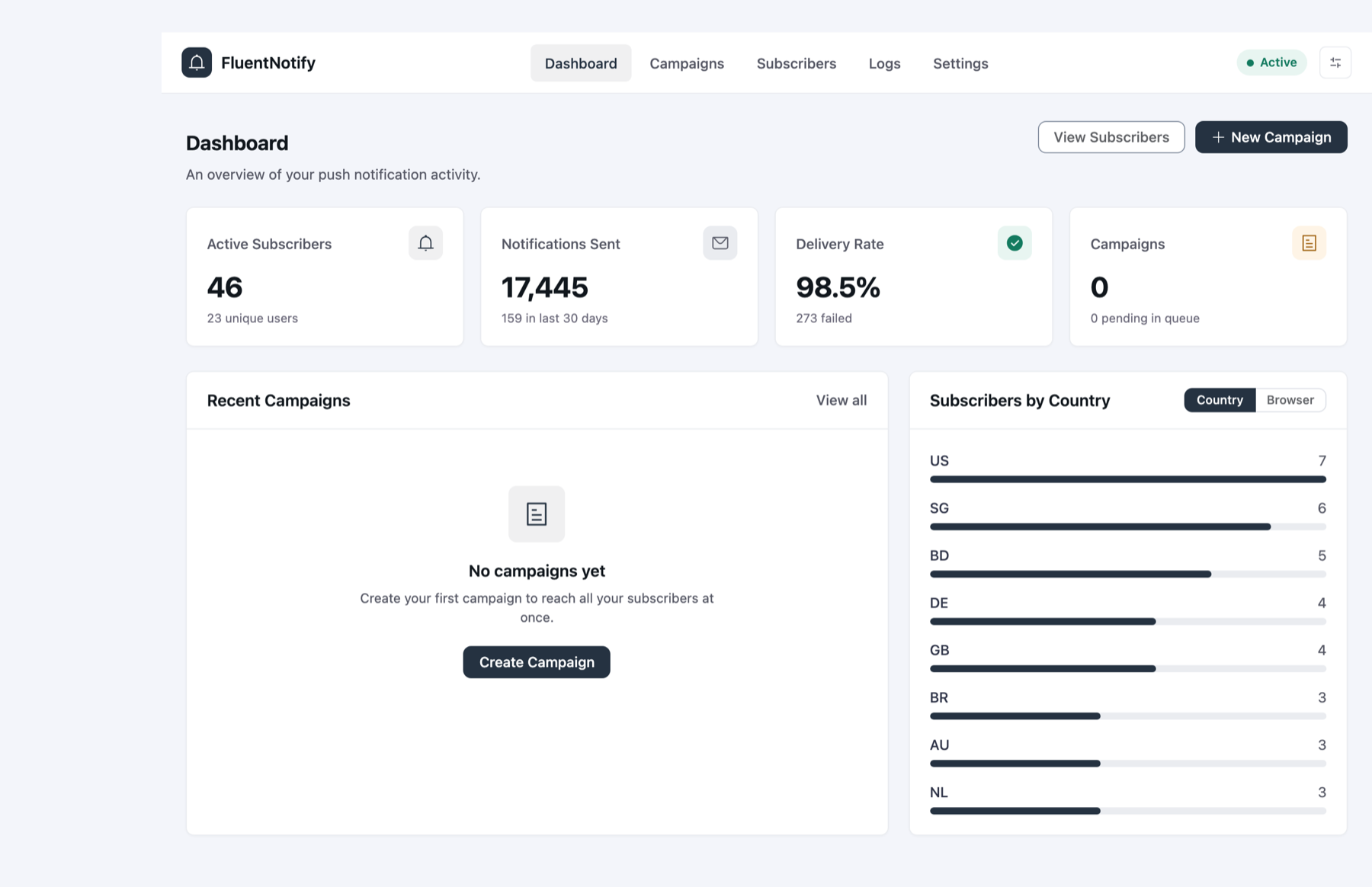
Dashboard
Active subscribers, sends over 30 days, delivery rate, and breakdowns by country and browser.
Delivery logs
Every notification the site has queued, sent or failed to send, with the reason Firebase gave for each failure.
Background sending
Batches run concurrently in the background, retry temporary failures with backoff, and resume if a run is interrupted.
Invalid token cleanup
Devices that unsubscribed or expired are marked invalid on the first bounce and skipped from then on.
Verified updates
Updates arrive through the WordPress plugins screen. Each package is checked against its published SHA-256 before install.
Hooks for developers
Send or schedule a notification from your own code with two actions. Tune concurrency, retries and log retention with filters.
Campaigns
Compose once and broadcast to everyone or a segment by country, browser or platform, with a live delivery report.
Opt-in for any site
A subscribe prompt for blogs, shops and membership sites that do not run FluentCommunity.
Sends you do not have to babysit.
A community can generate thousands of notifications an hour. The pipeline is built for that volume, and for the two things that always go wrong: rate limits and dead tokens.
- 01
Queue
Each notification is one row with a priority. Direct sends drain before bulk.
- 02
Batch
Windows of 50 fire concurrently over one multiplexed connection.
- 03 Firebase
FCM HTTP v1 with a short-lived access token minted from your service account.
- 04
Classify
Every response lands in one of four outcomes. Nothing is silently dropped.
Interrupted runs are recovered on the next tick, one global lock stops two workers sending the same rows, and background delivery falls back to Action Scheduler on hosts that block loopback requests.
Where your subscribers live changes everything else.
Most web push products are hosted platforms. They are easy to start and hard to leave, because the audience is a set of browser permissions pointed at their servers.
| Capability | FluentNotifyself-hosted, Firebase | Hosted push servicesPushEngage, OneSignal and similar |
|---|---|---|
| Price | $0, GPL | Free tier, then per-subscriber plans |
| Subscriber cap | None | Tier limits |
| Where subscribers live | Your WordPress database | Their servers |
| Who owns the push credentials | You, in your Firebase project | The vendor |
| If you cancel or they close | Nothing changes | The audience is gone |
| Knows who replied to whom | Yes, inside FluentCommunity | Generic new-post triggers |
| Member-level channel preferences | Email or push, per activity | Varies |
| Drip workflows and A/B tests | No | Yes, on paid plans |
| Data leaves your server | Only the message, to Firebase | Subscriber and behavior data |
A general comparison with hosted push platforms. Their capabilities and prices vary by product and change over time, so check each one for current details. The drip and testing row is deliberate: FluentNotify is not a marketing automation suite.
First the community. Then the rest of the Fluent plugins.
Order and timing may change. Each release is listed in the changelog as it ships.
- Shipped v1.0
Firebase delivery, FluentCommunity notifications, subscribers, single-device sends, logs, dashboard.
- Coming soon
Campaigns
Broadcast to all subscribers or a segment, with a per-device delivery report and click tracking.
- In progress
Opt-in prompt for any site
Collect push subscribers without FluentCommunity, on any page.
- Planned FluentBooking
Booking confirmations, reminders and reschedule notices as push.
- Planned FluentCRM
Push as a channel inside automations and campaigns, using your existing lists and tags.
There is no Pro tier. There is just the plugin.
Upload the zip under Plugins, Add New, Upload Plugin. Activate it, open FluentNotify, Settings, and follow the setup guide. Updates arrive through WordPress from then on.
- Version
- 1.0.2
- Published
- September 3, 2026
- Size
- 1.3 MB
- Requires
- WordPress 6.0, PHP 7.4
- Tested up to
- WordPress 7.1
- License
- GPL v2 or later
- Price
- $0, no account
- SHA-256
18509124c935da3b7fc1b9a90ebd92781f6f88f8af80fea457c711c68b6ab15d
Questions, answered.
- Is it really free?
- Yes. FluentNotify is released under the GPL with no account, license key, subscriber cap or usage limit. Firebase Cloud Messaging is free of charge, so sending costs nothing either.
- Do I need FluentCommunity?
- Not to install it. Delivery, subscribers, logs and the dashboard work on any WordPress site, and logged-in users who allow notifications are captured. The member-facing prompt and the activity triggers come from FluentCommunity Pro 2.9 or later. A prompt for any site is in progress.
- Which browsers receive notifications?
- Chrome, Edge, Firefox, Brave and other Chromium browsers on desktop and Android. Safari on macOS 13 and iOS 16.4 or later, where iPhone and iPad users need to add the site to their Home Screen first.
- What data goes to Google?
- The title, message, icon and link of each notification, plus the device token Firebase issued. Subscriber records and delivery logs stay in your database.
- Why Firebase and not your own service?
- Because a push audience is a set of browser permissions tied to a sender. If the sender is a hosted service, the audience belongs to that service. With your own Firebase project, it belongs to you.
- What happens if I uninstall?
- Subscribers and logs are kept unless you opt in to deleting them under Settings. Browser permissions cannot be rebuilt, so the default protects the list.
Give members a reason to come back.
Install FluentNotify, connect Firebase once, and every reply finds its way to the person waiting for it.